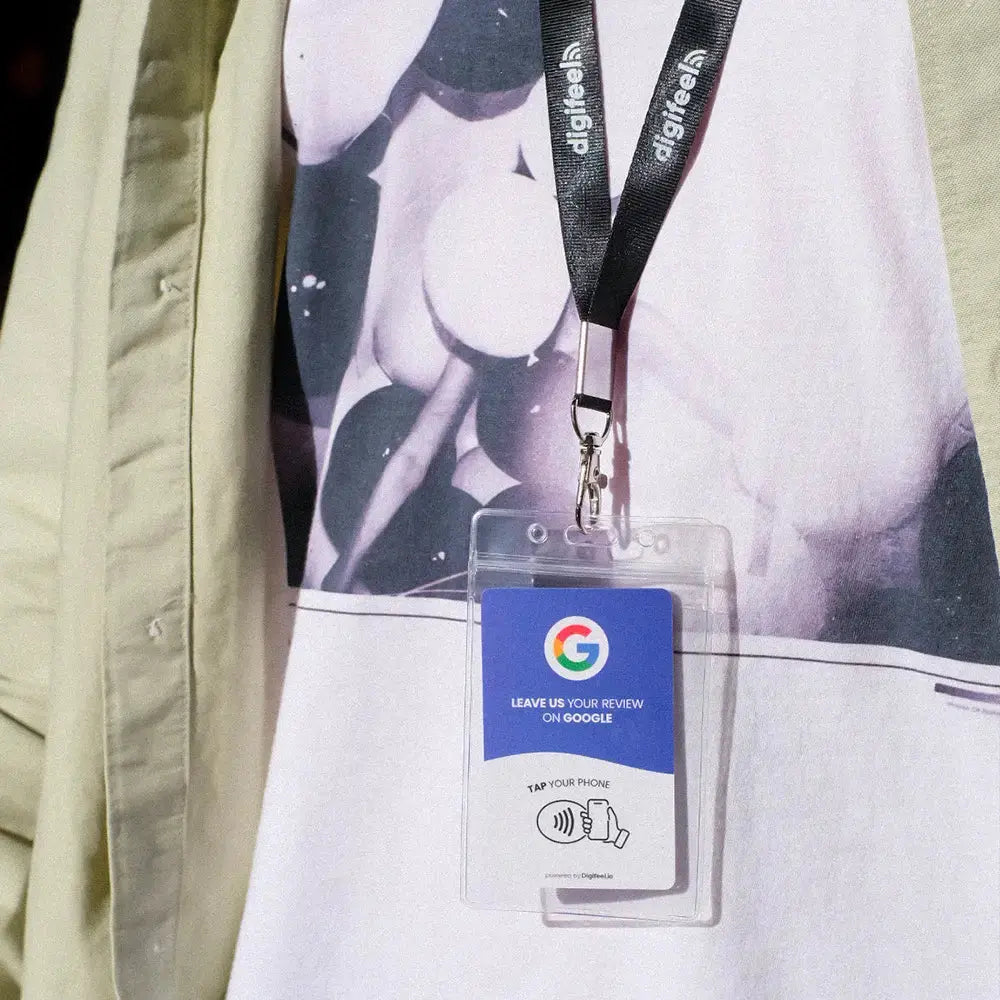
Every business owner knows the frustration. You deliver an outstanding experience, your customer leaves happy, and then nothing. No review. No trace of that interaction online. Meanwhile, your competitors are steadily accumulating five-star ratings that push them higher in local search results and drive a consistent flow of new customers through their doors.
The reality of review collection in 2026 is straightforward: asking customers to leave a Google review manually is broken. Sending follow-up emails that go unread, printing QR codes that nobody scans, and hoping customers will take the time to find your business profile on their own are strategies that consistently underdeliver. The friction is too high, the motivation fades fast, and the result is a review profile that does not reflect the quality of experience you actually provide.
NFC technology changes that equation entirely. With a single tap of their smartphone, a customer is taken directly to your Google review page no searching, no typing, no extra steps. The friction disappears, and the review happens in the moment, when the experience is still fresh and the motivation to share it is at its highest.
At Digifeel, we built our Google Review Card specifically to make this process as seamless as possible for businesses of every size. One card. One tap. And a steady, consistent stream of authentic five-star reviews that builds your online reputation on autopilot.
In this guide, we walk you through exactly how to use our NFC Google Review Card from setup to placement strategy so you can start collecting more reviews immediately.
What is an NFC Google Review Card and How Does It Work?
An NFC Google Review Card is a small, professional card embedded with Near Field Communication technology that allows your customers to access your Google review page instantly with a single tap of their smartphone. No app download required. No QR code to scan awkwardly. No searching for your business name on Google. Just a tap, and your customer is taken directly to the review submission page in seconds.
NFC technology itself is not new it is the same technology powering contactless payments like Apple Pay and Google Pay that hundreds of millions of people use every single day. What makes our Digifeel Google Review Card powerful is the way we have applied that technology to solve one of the most persistent and costly problems in local business marketing: the gap between a great customer experience and a published five-star review.
The mechanics are elegantly simple. Inside every Digifeel card is a small NFC chip programmed with a direct link to your unique Google Business review page. When a customer holds their NFC-enabled smartphone near the card which covers virtually every iPhone and Android device released in the last five years their phone instantly detects the chip and opens your Google review page in their browser. From that moment, leaving a review takes less than thirty seconds. The entire interaction, from tap to submitted review, happens in the time it takes to say thank you.
What makes our process at Digifeel particularly straightforward is how we have designed the setup experience. Getting your card live and ready to collect reviews takes three simple steps that require zero technical knowledge on your end.
First, we create your custom QR code for you. You do not need to navigate Google Business settings, generate links, or configure anything yourself. Our team handles the technical setup and programs your card with a direct link to your specific Google review page personalized to your business from the moment it arrives.
Second, you scan the setup code, enter your unique activation code, and your card is live. The entire activation process takes under a minute. There is no dashboard to learn, no account to configure, and no ongoing maintenance required. Once it is set up, it works every single time.
Third, your customers tap the card, leave their review, and your Google visibility grows. That is the entire workflow. A customer finishes their appointment, completes their purchase, or wraps up a service interaction you present the Digifeel card, they tap it with their phone, and thirty seconds later you have a new five-star review published on your Google Business profile.
The reason this process converts so much more effectively than traditional review collection methods comes down to one word: friction. Every additional step between a customer's intention to leave a review and the actual act of submitting one is an opportunity for that intention to fade. Email follow-ups arrive hours later when the emotional peak of the experience has passed. QR codes require the customer to open their camera app, hold it steady, wait for the link to load, and then navigate to the review form. Each of these micro-frictions compounds into a conversion rate that consistently disappoints.
Our NFC Google Review Card eliminates every single one of those friction points. The customer does not need to remember to leave a review later. They do not need to find your business on Google. They do not need to do anything except tap and the review process begins immediately, in the moment when their satisfaction is highest and their motivation to share it is strongest.
For any business where customer experience is a competitive advantage restaurants, salons, healthcare practices, retail stores, service providers the Digifeel Google Review Card is the most direct and reliable tool available to translate that experience into the online reputation it deserves.
How to Set Up Your Digifeel NFC Google Review Card Step by Step
One of the decisions we are most proud of at Digifeel is how simple we made the setup process. Getting your NFC Google Review Card live and actively collecting reviews does not require any technical knowledge, any Google Business configuration on your end, or any ongoing maintenance. Here is exactly how it works from the moment your card arrives.
Step 1: We Create Your Custom QR Code For You
Most NFC review solutions put the entire setup burden on the business owner requiring you to generate your own Google review link, configure NFC settings, and program the chip yourself. We do things differently.
When you order your Digifeel Google Review Card, our team handles the entire technical setup for you. We generate your custom QR code and program your card with a direct link to your specific Google Business review page personalized to your business before the card even ships. By the time it arrives in your hands, the hard work is already done.
Step 2: Scan, Enter Your Code, and You Are Ready
Once your card arrives, activation takes under sixty seconds. Simply scan the setup QR code included with your card and enter your unique activation code when prompted. That single step confirms your card is linked to the correct Google Business profile and activates it for immediate use.
No dashboard to navigate. No account settings to configure. No technical steps to complete. From the moment you enter your activation code, your Digifeel card is live and ready to collect reviews permanently, without any further setup required.
Step 3: Present the Card, Your Customers Tap, Reviews Roll In
This is where the simplicity of NFC technology does the work for you. After any positive customer interaction a completed appointment, a successful purchase, a service well delivered you simply present your Digifeel card and ask your customer to tap it with their smartphone.
Their phone instantly opens your Google review page. No searching. No typing. No friction. From that single tap, leaving a five-star review takes less than thirty seconds and because the entire interaction happens in the moment, while the experience is still fresh, the conversion rate from tap to published review is significantly higher than any other review collection method available.
The result is a review collection system that runs on autopilot requiring nothing from you beyond the simple habit of presenting your card at the right moment in every customer interaction.