Your Google Business Profile is the most powerful free marketing tool available to any local business in 2026 and the vast majority of business owners are using it at a fraction of its potential.
Think about what happens when a potential customer searches for a service you offer in your area. Before they visit your website, before they check your social media, and before they ask a friend for a recommendation, they look at your Google Business Profile. Your star rating, your review count, your photos, your hours, your responses to customer feedback all of it is visible, all of it influences their decision, and all of it is within your control to optimize.
The difference between a Google Business Profile that consistently drives new customers through your door and one that barely registers in local search results is not luck, advertising budget, or the size of your business. It is the deliberate application of a small number of high-impact optimization strategies that most of your competitors have never bothered to implement.
In this guide, we break down 6 proven Google Business Profile tips that will directly improve your local search visibility, strengthen your online reputation, and drive more qualified customers to your business starting today.
1. Complete Every Section of Your Google Business Profile
This is the tip that sounds the most obvious and gets ignored the most consistently and it is costing businesses a significant amount of local search visibility every single day. Google's algorithm is explicit about this: profiles that are complete rank higher than profiles that are not. It is not a theory or a best practice suggestion. It is a direct ranking factor built into how Google evaluates and positions local businesses in search results.
The logic behind it is straightforward. Google's primary goal is to serve the most relevant and reliable results to every search query. A business profile that is fully completed signals to Google that the business is active, legitimate, and worth surfacing to potential customers. An incomplete profile sends the opposite signal and Google responds accordingly by pushing that profile lower in local search rankings in favor of competitors who have taken the time to fill in every available field.
Start with the non-negotiables. Your business name, address, phone number, and website URL must be accurate, consistent, and identical to how they appear everywhere else your business is listed online on your website, on social media, on directory listings. This consistency, known in SEO as NAP consistency, is a foundational trust signal that Google uses to verify your business's legitimacy. Any discrepancy between how your business information appears on your Google profile and how it appears elsewhere online creates confusion for Google's algorithm and suppresses your local search ranking as a result.
Your business hours need to be accurate and kept up to date including special hours for public holidays, seasonal closures, or extended trading periods. Google allows customers to see in real time whether a business is currently open, and a profile showing incorrect hours does not just frustrate potential customers who show up at the wrong time. It actively damages your profile's credibility in Google's eyes and reduces the likelihood of your business appearing in near-me searches where current operating status is a primary relevance signal.
Your business description is a frequently underutilized section that serves two important purposes simultaneously. For potential customers, it is an opportunity to communicate clearly what your business does, what makes it different, and why they should choose you over a competitor. For Google, it is a source of keyword signals that help the algorithm understand what your business is relevant for. Write a description that is natural, specific, and includes the core terms your target customers are searching for without keyword stuffing that makes the copy feel unnatural or spammy.
Beyond these core fields, make sure you have completed your product and service listings, your business attributes which might include things like accessibility features, payment options, or amenity details depending on your category and your primary and secondary business categories, which we will cover in depth in the next section.
Completing your Google Business Profile in full takes less than an hour. The local search visibility it unlocks will compound for months and years after that single hour of investment.
2. Choose the Right Business Categories to Rank Higher in Local Search
If completing your profile is the foundation of Google Business Profile optimization, choosing the right business categories is the structural framework built on top of that foundation. Your category selection is one of the most direct signals you send to Google about what your business is, what searches it should appear for, and which local customers it is relevant to. Get this wrong and even a perfectly completed profile will consistently underperform in local search results.
The way Google uses business categories is more nuanced than most business owners realize. When someone searches for "hair salon near me" or "best Italian restaurant in Chicago," Google does not just look for businesses that have mentioned those terms somewhere in their profile. It primarily looks for businesses whose primary category directly matches the intent of the search query. Your primary category is the single most powerful category signal you send to Google and choosing it with precision rather than generality makes a measurable difference in how frequently and prominently your profile appears in relevant local searches.
The most common mistake businesses make with primary category selection is choosing something too broad. A business that offers personal training services, for example, might be tempted to select "Gym" or "Fitness Center" as their primary category because those terms feel familiar. But "Personal Trainer" is a more specific and accurate category that better matches the search intent of someone looking for exactly what that business offers. Specificity beats generality in category selection always. The more precisely your primary category reflects what your business actually does, the more relevant Google considers your profile for the searches that matter most to your bottom line.
Beyond your primary category, Google allows you to add secondary categories that capture the additional services or offerings your business provides. A salon that offers both hair services and beauty treatments should select a primary category that reflects their core service and add secondary categories for each additional offering. These secondary categories expand the range of searches your profile can appear for without diluting the primary category signal that Google weights most heavily.
Research your category options thoroughly before making your selection. Google offers hundreds of specific business categories, and the most effective choice is rarely the first option that comes to mind. Search for your direct competitors on Google and look at which categories they have selected the category labels are visible on their knowledge panel. Identify which competitors are ranking consistently at the top of local search results in your area and examine their category structure closely. This competitive intelligence gives you a practical benchmark for category selection grounded in what is actually working in your specific market.
Review your category selection every six months as your business evolves. If you add new services, shift your core offering, or notice that your local search visibility has declined, your category configuration is one of the first variables worth revisiting. In local SEO, category accuracy is not a one-time decision it is an ongoing optimization discipline that rewards the businesses attentive enough to maintain it.
3. Add High-Quality Photos Consistently to Drive More Engagement
In the visual economy of 2026, the photos on your Google Business Profile are doing more selling than most business owners realize. Before a potential customer reads a single review, checks your hours, or clicks through to your website, they look at your photos. And what they see in those first few seconds forms an immediate, largely subconscious judgment about the quality, professionalism, and trustworthiness of your business that influences everything that comes after.
Google's own data makes the impact of photos impossible to ignore. Businesses with photos on their Google Business Profile receive significantly more clicks, more direction requests, and more website visits than those without. And the relationship between photo quantity, photo recency, and local search visibility is direct Google treats consistent photo activity as a signal of an active, engaged business, and rewards that activity with improved placement in local search results.
The word "consistently" in this tip deserves particular emphasis. A business that uploads twenty photos at profile setup and never adds another one is not sending the same signal to Google as a business that adds two or three fresh photos every week. Recency matters. Google's algorithm interprets regular photo uploads as evidence that the business is currently operational, actively managed, and worth surfacing to local searchers. A profile with photos from three years ago and nothing more recent suggests to both Google and potential customers a business that is not paying attention to its online presence.
The quality of your photos matters as much as the consistency of your uploads. Blurry smartphone snapshots taken in poor lighting do not just fail to impress potential customers they actively undermine the trust and professionalism that a strong Google Business Profile is designed to build. Every photo you upload is a direct representation of your brand standards. Invest in good lighting, clean backgrounds, and compositions that show your business at its genuine best. You do not need a professional photographer for every upload, but you do need images that are sharp, well-lit, and visually compelling enough to stop a potential customer mid-scroll.
Think strategically about the variety of photos you upload rather than defaulting to the same type of image repeatedly. Google categorizes business photos into several types exterior shots that help customers identify your location, interior shots that set expectations about the environment, product or service photos that showcase what you offer, and team photos that humanize your brand and build personal connection with potential customers. A profile that includes a strong mix of all of these categories gives Google more context about your business and gives potential customers a more complete picture of what to expect.
Encourage your satisfied customers to upload their own photos to your profile as well. User-generated photos carry a different kind of authenticity than business-uploaded images they signal to potential customers that real people have visited, enjoyed the experience, and felt motivated to document it. Combined with a consistent business upload schedule, a profile rich in both professional and customer-generated photography is one of the strongest visual trust signals available in local search.
4. Collect Google Reviews Strategically and Respond to Every Single One
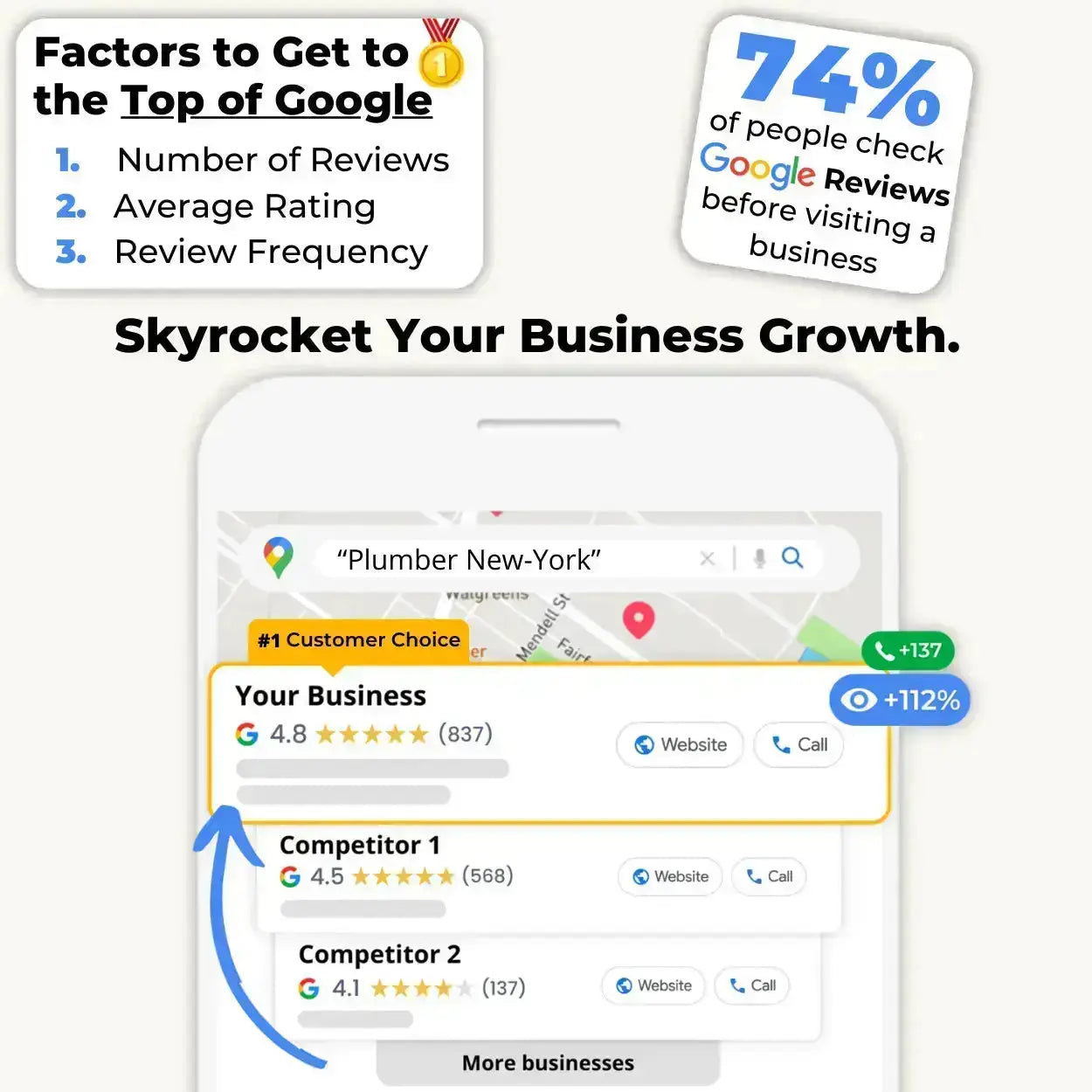
If there is a single Google Business Profile optimization lever that simultaneously impacts your local search ranking, your conversion rate, and your customer acquisition cost more than any other, it is your review strategy. Google reviews are not just social proof for potential customers they are a direct ranking signal that Google's local search algorithm weights heavily when deciding which businesses to surface and in what order.
The volume of your reviews, the recency of your reviews, the average star rating they produce, and the rate at which you respond to them all feed directly into how Google evaluates your profile's relevance and authority for local search queries in your category. A business with 200 recent, high-quality reviews that are consistently responded to will outrank a competitor with a better physical location, a larger budget, and a longer operating history if that competitor has 30 stale reviews and a profile that has not been touched in months.
Collecting reviews strategically starts with solving the fundamental problem that kills review collection for most local businesses: friction. The intention to leave a review fades fast. A customer who is genuinely satisfied and fully intends to share their experience will almost always fail to follow through if the process requires more than a few seconds of effort. This is why the method you use to request reviews matters as much as the timing and consistency of your requests.
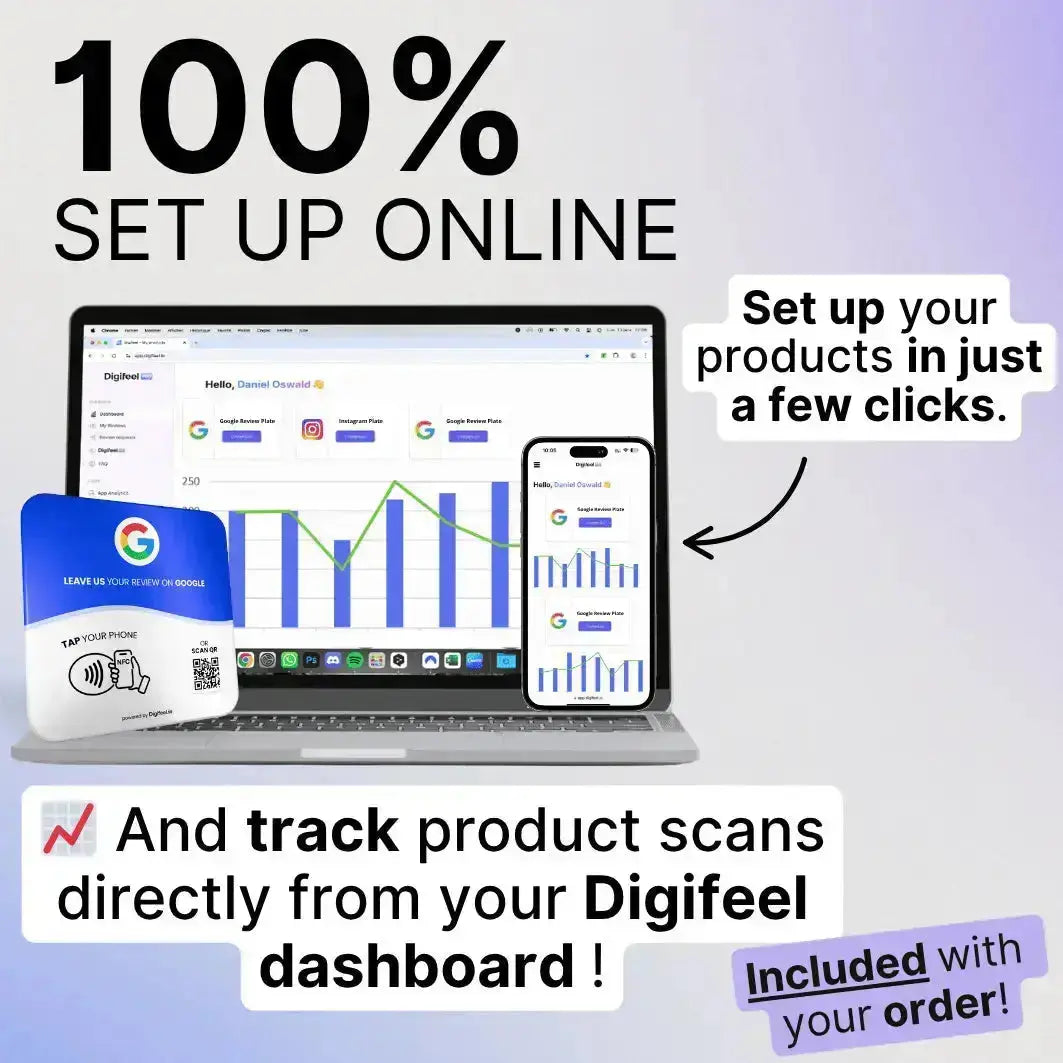
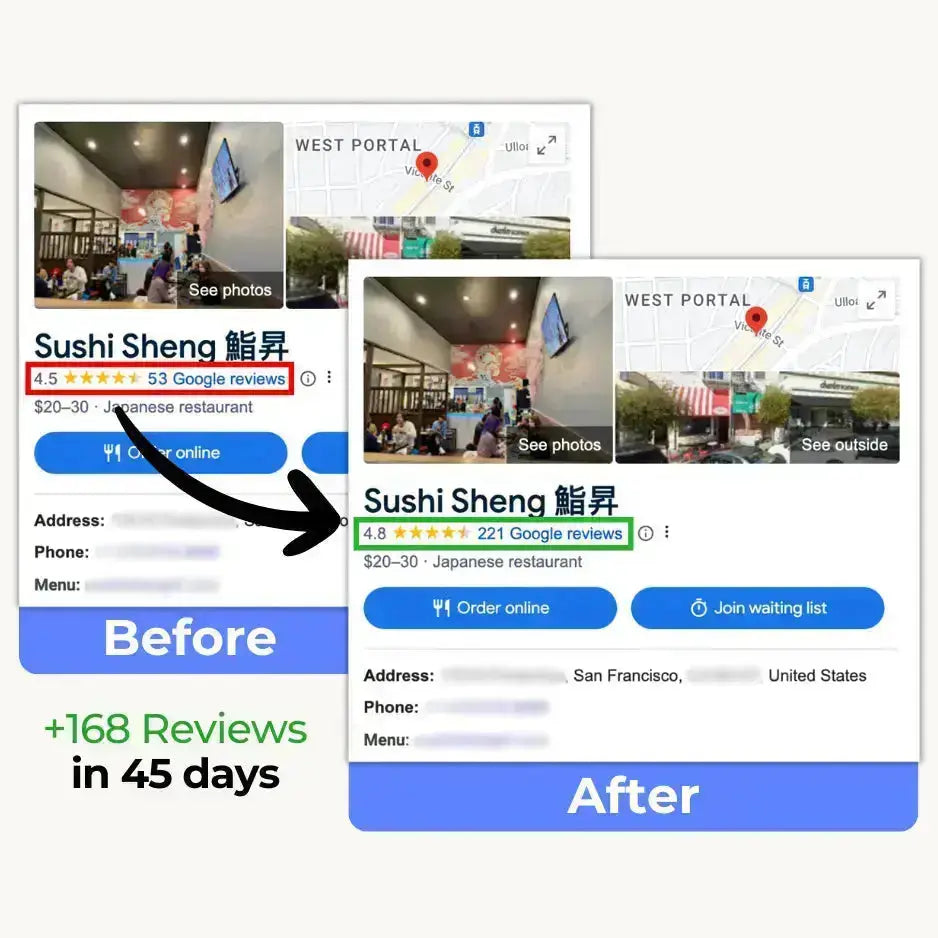
The most effective review collection tool available to physical businesses in 2026 is the Digifeel NFC Google Review Card. Rather than sending follow-up emails that arrive too late, printing QR codes that require too many steps, or relying on verbal requests that customers forget before they reach their car, the Digifeel card allows your team to present a single tap solution at the precise moment of peak customer satisfaction. One tap. One second. And the customer is on your Google review submission page before the motivation has had any chance to dissolve. The businesses that have integrated the Digifeel card into their standard customer farewell routine consistently report dramatic increases in monthly review volume turning a trickle of occasional feedback into a steady, compounding stream of five-star ratings that transforms their local search visibility over time.
Collecting reviews is only half of the equation. Responding to every single review you receive positive and negative is the other half, and it is where most businesses leave significant ranking potential on the table. Google explicitly rewards businesses that respond to reviews with improved local search visibility. Your response rate and response speed are visible signals of an actively managed profile and Google interprets active management as a mark of a legitimate, trustworthy business worth ranking prominently.
For positive reviews, responses do not need to be lengthy. A warm, genuine acknowledgment that thanks the reviewer by name and references something specific from their feedback is enough to demonstrate attentiveness and build the kind of personal connection that turns one-time customers into loyal advocates. For negative reviews, a calm, professional response that acknowledges the concern and offers a path to resolution is one of the most powerful reputation management tools available because potential customers reading your profile are watching not just what customers say about you, but how you respond when things go wrong.
5. Use Google Posts to Keep Your Profile Active and Relevant
Google Posts is one of the most underutilized features available on the Google Business Profile platform and for businesses that understand how to use it correctly, it represents a significant and largely untapped local search advantage over competitors who have never heard of it or simply never bothered to try it.
Google Posts allows you to publish short-form content updates directly to your Google Business Profile visible to anyone who finds your business through Google Search or Google Maps. Think of it as a social media feed built directly into your local search presence. You can share promotions, announce new products or services, highlight upcoming events, publish seasonal offers, and communicate any time-sensitive information that is relevant to potential customers actively searching for your business or your category right now.
From a local SEO perspective, the value of Google Posts operates on two levels simultaneously. The first is direct content relevance. Every post you publish gives Google additional keyword signals about what your business offers, what it is currently promoting, and what searches it should be considered relevant for. A restaurant that publishes a weekly post about its seasonal menu gives Google consistent, fresh content to index content that reinforces the profile's relevance for searches related to those specific dishes, ingredients, and dining occasions. A salon that posts about a new treatment offering sends a direct signal that their profile is relevant for searches around that specific service.
The second level of value is activity signaling. Google's local search algorithm consistently rewards profiles that demonstrate active, ongoing management and publishing regular Google Posts is one of the clearest activity signals you can send. A profile that has not published a post in six months looks, to Google's algorithm, like a business that is either closed, disengaged, or not worth surfacing prominently in local search results. A profile that publishes fresh content every week or two communicates the opposite an active, customer-focused business that is worth recommending to local searchers.
The practical implementation of a Google Posts strategy does not require significant time or creative resources. A single post per week, averaging 150 to 300 words with a high-quality accompanying image and a clear call to action, is sufficient to maintain the activity signal that drives ranking improvement. The most effective post types for local businesses include limited-time offers that create urgency and drive immediate action, new product or service announcements that expand your profile's keyword relevance, event posts for businesses with regular programming, and update posts that communicate important operational information like extended holiday hours or temporary closures.
One detail that many businesses overlook is that Google Posts expire after seven days unless you are publishing an event post with a defined end date. This means that a post published and then forgotten does not continue to deliver value indefinitely it disappears from your profile and stops contributing to your activity signal. Building a simple weekly posting habit into your business routine is what transforms Google Posts from a one-time experiment into a compounding local SEO advantage that consistently widens the visibility gap between your profile and your competitors over time.
6. Leverage the Q&A Section to Capture High-Intent Search Traffic
The Q&A section of your Google Business Profile is simultaneously one of the most powerful and most neglected optimization opportunities in local SEO. While most business owners are aware that it exists, the vast majority treat it as a passive feature something that customers occasionally populate with questions that may or may not get answered. The businesses that understand its true potential treat it as something entirely different: a strategic content asset that captures high-intent search traffic and converts profile visitors into customers before they ever reach your website.
Here is the dynamic that makes the Q&A section so valuable from a search visibility perspective. Google indexes the content of your Q&A section and uses it as a source of keyword signals when determining which searches your profile is relevant for. Every question and answer pair you publish is essentially a piece of optimized content that lives directly on your Google Business Profile visible to anyone who finds your listing and indexed by Google as part of its understanding of what your business offers, how it operates, and what problems it solves for customers.
The most effective approach to the Q&A section is proactive rather than reactive. Do not wait for customers to submit questions and then scramble to answer them. Instead, identify the ten to fifteen questions that your customers ask most frequently — in person, by phone, by email, or through your website contact form and publish them yourself as both the question and the answer directly on your profile. This proactive approach gives you complete control over the content, the keyword signals, and the impression that potential customers form when they read through your Q&A section for the first time.
Think carefully about the keyword value of the questions you choose to publish. The most strategically valuable questions are those that reflect the actual search terms your potential customers are using when they are closest to making a purchasing decision. Questions like "Do you offer same-day appointments?" or "What payment methods do you accept?" or "Do you provide services for [specific need]?" are not just helpful for customers already looking at your profile. They contain the kind of specific, transactional language that Google uses to match your profile with high-intent local searches the searches performed by people who are ready to buy, book, or visit right now.
Monitor your Q&A section regularly because anyone with a Google account can submit a question and anyone can submit an answer, including people who have no affiliation with your business and no accurate knowledge of how you operate. Unanswered questions and inaccurate answers left unaddressed damage your profile's credibility and can actively mislead potential customers at the critical moment of their decision-making process. Set up notifications for new Q&A activity and commit to responding within 24 hours of any new question being submitted.
Finally, use your answers to naturally incorporate calls to action that move potential customers toward the next step in their journey with your business. An answer that concludes with "feel free to call us directly at [number] to book your appointment" or "visit our website to see our full range of available options" transforms a passive informational exchange into an active conversion opportunity capturing the intent of a high-value searcher at exactly the moment they are most receptive to taking action.